How Interactive 3D Product Configurators Transform Online Shopping
Interactive 3D product configurators allow customers to explore products, change materials, select colors and view different designs directly in their browsers. Discover how WebGL and real-time 3D experiences are changing the way businesses present products online
 By Raghav Pimple 12 min read
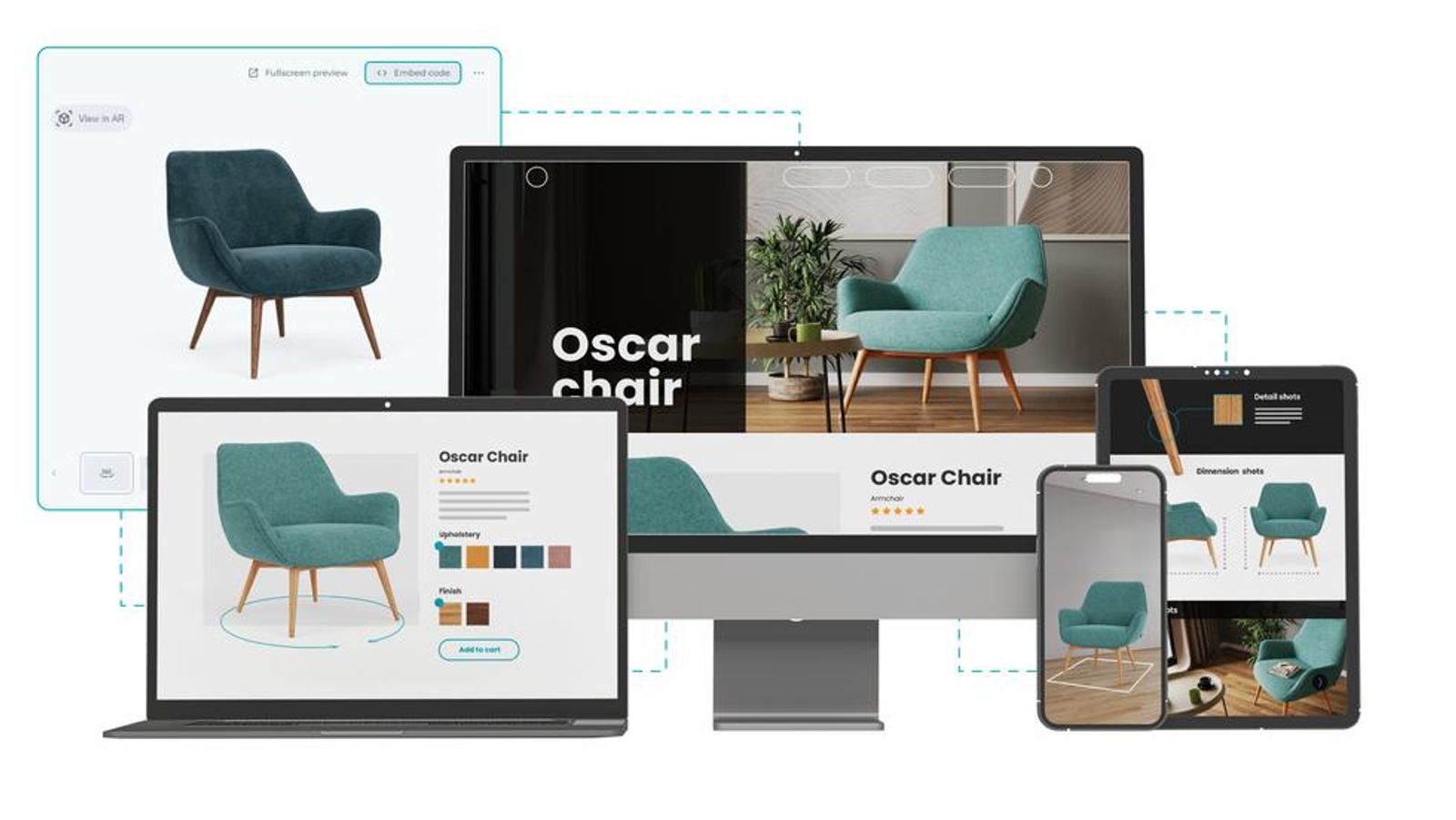
How Interactive 3D Product Configurators Transform Online Shopping
Online shopping has changed significantly over the years. Customers no longer want to depend entirely on static product photographs to understand what they are purchasing.
They want to explore products, compare variations, examine details and make informed decisions before placing an order.
This is where interactive 3D product configurators become valuable.
A 3D product configurator allows visitors to interact with a digital representation of a product directly through a website. They can rotate objects, zoom into specific details, change colors, select materials and explore different configurations.
With technologies such as WebGL and Three.js, developers can create these interactive experiences directly inside modern web browsers.
In this article, we explore how 3D product configurators work, their business applications and the important design considerations behind creating them.
What Is an Interactive 3D Product Configurator?
An interactive 3D product configurator is a browser-based application that allows users to customize and explore a digital product.
Instead of viewing only predefined images, customers can interact with a 3D model and make selections based on their preferences.
For example, someone exploring a furniture website might be able to:
- Rotate a chair to view it from different angles.
- Change the upholstery color.
- Select different materials.
- Explore alternative product designs.
- Zoom in to examine product details.
The website updates the visual representation based on the user's selections.
This creates a more engaging product exploration experience than relying exclusively on static images.
How Do 3D Product Configurators Work?
A product configurator combines 3D assets, browser rendering technology and interactive interface components.
Several elements work together to create the experience.
1. 3D Product Modeling
The first step is creating an accurate digital representation of the physical product.
Designers develop a 3D model using product references, CAD files, measurements or existing design assets.
The model should contain the necessary geometry and details to represent the product accurately.
2. Materials and Textures
Materials define how the product looks.
For example, a furniture configurator may offer:
- Wooden finishes.
- Leather upholstery.
- Fabric materials.
- Metal components.
- Different surface colors.
When customers select an option, the corresponding material can be applied to the 3D model.
3. Browser-Based 3D Rendering
WebGL allows websites to render interactive 3D graphics using the device's graphics hardware.
Libraries such as Three.js provide tools for building 3D scenes, managing cameras, applying materials and rendering objects.
Developers can use these technologies to display interactive product models without requiring customers to install separate desktop software.
4. User Interaction
The interface allows visitors to control the product visualization.
Common interactions include:
- Dragging to rotate the model.
- Scrolling or using controls to zoom.
- Clicking buttons to change colors.
- Selecting material options.
- Switching between product configurations.
The interface should make these controls easy to discover and use.
5. Real-Time Updates
When a customer changes a selection, the application updates the relevant model properties.
For example, selecting a different chair fabric changes the material displayed on the 3D object.
The user can immediately see the result without navigating to another page.
Why Are Businesses Using Interactive 3D Product Experiences?
Interactive product visualization can help businesses present complex products in a more understandable way.
Here are some practical applications.
1. Furniture and Interior Design
Furniture businesses can allow customers to explore different materials, finishes and product configurations.
For example, a sofa configurator could offer different upholstery colors, leg finishes and seating arrangements.
Customers can experiment with available options before deciding which combination they prefer.
2. Automotive and Vehicle Customization
Automotive websites can use 3D configurators to display vehicle models with different exterior colors, wheel designs and interior finishes.
Customers can explore the available configurations and understand how different choices affect the overall appearance.
3. Consumer Electronics
Electronics businesses can use 3D product visualization to present devices from different angles.
Interactive experiences can highlight product dimensions, design features, ports, components and available finishes.
4. Fashion and Accessories
For selected fashion and accessory products, interactive visualization can help display materials, colors, patterns and design variations.
This is especially useful when customers want a closer look at product details.
5. Architecture and Real Estate
Interactive 3D experiences can help users explore building concepts, interior layouts and architectural environments.
Visitors may be able to navigate through virtual spaces and examine selected design elements.
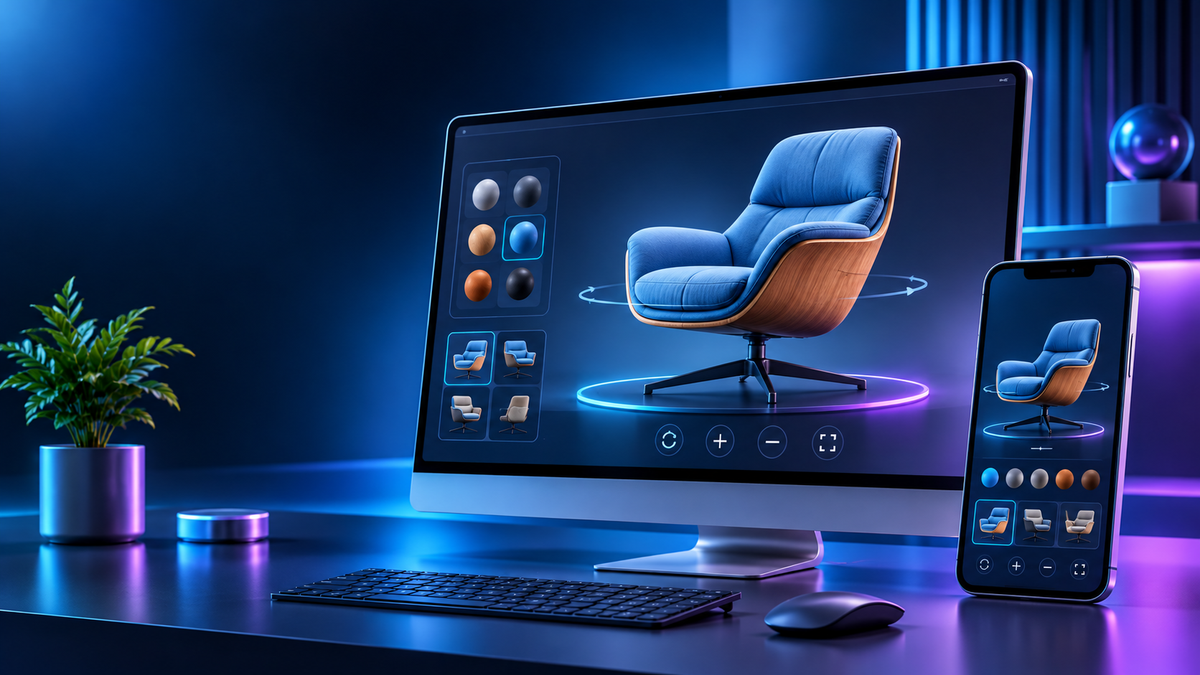
Important Features of a Good 3D Product Configurator
Creating a 3D configurator is not just about displaying a model on a website.
The complete experience should be intuitive, responsive and useful.
1. Smooth 360-Degree Product Rotation
Customers should be able to rotate the product naturally and examine it from different angles.
The rotation controls should feel predictable and should not interfere with other page interactions.
2. Easy Color and Material Selection
Product customization options should be presented through clear visual controls.
For example, color swatches and material thumbnails allow customers to understand their available choices.
The selected option should be clearly highlighted.
3. Zoom and Detail Inspection
Zoom functionality helps visitors examine important product details.
This can be particularly useful for products with complex shapes, textures or small design elements.
4. Responsive Interface
The configurator should adapt to different screen sizes.
Desktop users may have more space for product controls, while mobile users need a simpler and more touch-friendly interface.
Both experiences should remain usable.
5. Clear Product Information
Important information should remain accessible alongside the 3D model.
This can include product names, available materials, dimensions, descriptions and selected configuration details.
The visual experience should support product information rather than replace it.
Technologies Used to Build Interactive 3D Websites
Different technologies can be combined depending on the complexity of the project.
WebGL
WebGL provides browser-based access to GPU-accelerated graphics rendering.
It is commonly used for interactive 3D visualizations, product configurators and creative browser experiences.
Three.js
Three.js is a JavaScript library that simplifies working with 3D scenes in the browser.
It provides functionality for:
- Creating 3D objects.
- Managing cameras and lighting.
- Applying materials and textures.
- Loading 3D models.
- Creating animations.
- Handling scene rendering.
It is a practical option for developers building interactive 3D web applications.
JavaScript
JavaScript manages user interactions and application behaviour.
It connects interface controls with the 3D scene so that customer selections can update the product visualization.
React and Next.js
React can be used to build the configurator's interface, including selection panels, buttons, product information and navigation.
Next.js can support the wider website structure, routing and delivery of the application.
A 3D rendering library can be integrated into the appropriate client-side components.
The final technology stack should depend on the project's performance requirements, visual complexity and development needs.
Performance Considerations for Web-Based 3D Experiences
A visually impressive configurator is not useful if it takes too long to load or becomes difficult to operate.
3D applications require careful performance planning.
Optimize 3D Models
Unnecessarily complex geometry can increase rendering costs.
Models should contain enough detail to achieve the required visual quality without carrying unnecessary complexity.
Compress Textures and Assets
Large textures and model files can increase loading times and memory usage.
Choose suitable image formats, texture resolutions and model compression techniques based on the project requirements.
Load Assets Progressively
Avoid making the entire 3D experience a requirement for displaying the initial page.
Show essential content first and load heavier interactive assets when appropriate.
Test on Real Devices
A powerful desktop computer does not represent every visitor's device.
Test on different smartphones, tablets and desktop systems to understand how the configurator behaves under different conditions.
Performance guidance for Three.js and WebGL experiences also recommends protecting initial page rendering, reserving layout space and testing on real devices.
Accessibility and User Experience in 3D Configurators
Interactive graphics should not make a website difficult to use.
A well-designed configurator should provide alternatives to complex visual interactions.
Important considerations include:
- Keep essential product descriptions and controls available as normal HTML content.
- Provide keyboard-accessible controls.
- Support touch interactions.
- Make selected options visually identifiable.
- Provide readable labels and instructions.
- Respect reduced-motion preferences.
- Offer a suitable alternative when WebGL is unavailable.
A 3D canvas should enhance the interface rather than become the only way to access important product information.
Is a 3D Product Configurator Right for Every Business?
Not every website needs an interactive 3D configurator.
For a simple product catalogue, optimized product photographs may be sufficient.
However, a configurator may be worth considering when:
- Products have multiple customization options.
- Customers need to understand complex product designs.
- Visual product exploration is important to the buying process.
- Businesses want to present different configurations interactively.
- Static images cannot communicate the product's features effectively.
The decision should be based on customer needs, product complexity, development cost and expected business value.
Conclusion
Interactive 3D product configurators offer businesses a new way to present products through engaging browser-based experiences.
By combining 3D modeling, WebGL, Three.js and thoughtful UI/UX design, developers can create applications that allow customers to explore product details and customize available options directly on a website.
However, successful implementation requires more than attractive graphics. Performance, accessibility, responsive design and accurate product representation are equally important.
At Visual Vertex Studio, we believe creative technology can transform the way people interact with digital products. From 3D visualization to interactive browser experiences, thoughtful design and development can turn product ideas into engaging digital experiences.
Have an idea for an interactive 3D website or product configurator? Connect with Visual Vertex Studio to explore what's possible.


